


Making custom stickers and labels at home can be a fun and rewarding DIY project, whether you're looking to personalize your belongings, promote your business, or add a unique touch to gifts. As a seasoned Stickers and Labels supplier, I'm excited to share with you some tips and techniques to help you create high-quality custom stickers and labels right in the comfort of your own home.
Materials You'll Need
Before you start, gather the following materials:
- Printer: A good-quality inkjet or laser printer is essential for printing your designs. Make sure it can handle the type of paper or sticker material you'll be using.
- Sticker Paper: There are various types of sticker paper available, including glossy, matte, and waterproof options. Choose the one that best suits your needs and the intended use of your stickers.
- Scissors or a Craft Knife: You'll need these tools to cut out your stickers and labels once they're printed.
- Design Software: While you can create simple designs using basic software like Microsoft Word or Paint, using a more advanced design program like Adobe Photoshop or Illustrator will give you more flexibility and control over your designs.
- Optional: Laminator and laminating sheets for added durability and protection.
Designing Your Stickers and Labels
The first step in making custom stickers and labels is to design them. Here are some tips to help you create eye-catching designs:
- Define Your Purpose: Determine the purpose of your stickers and labels. Are they for personal use, business promotion, or something else? This will help you decide on the style, colors, and content of your designs.
- Choose the Right Colors: Colors play a crucial role in the visual appeal of your stickers and labels. Choose colors that complement each other and match the theme or brand you're trying to convey.
- Keep It Simple: Avoid cluttering your designs with too much information or graphics. Keep the text clear and concise, and use high-quality images or illustrations.
- Add a Unique Touch: To make your stickers and labels stand out, consider adding a unique element such as a custom shape, texture, or finish.
Once you've designed your stickers and labels, it's time to print them. Here's how:
- Prepare Your Printer: Make sure your printer is loaded with the appropriate sticker paper and set to the correct print settings. Refer to the printer's manual for specific instructions.
- Print a Test Page: Before printing your final designs, print a test page to check the alignment, color accuracy, and overall quality of your prints. Make any necessary adjustments before printing the final copies.
- Print Your Stickers and Labels: Once you're satisfied with the test page, print your stickers and labels. Allow them to dry completely before handling them.
Cutting and Finishing Your Stickers and Labels
After your stickers and labels are printed, it's time to cut them out and finish them. Here's how:
- Cut Out Your Stickers and Labels: Use scissors or a craft knife to carefully cut out your stickers and labels along the design edges. Take your time to ensure clean and precise cuts.
- Optional: Laminating Your Stickers and Labels: If you want to add extra durability and protection to your stickers and labels, consider laminating them. Use a laminator and laminating sheets according to the manufacturer's instructions.
- Peel and Apply Your Stickers and Labels: Once your stickers and labels are cut and finished, peel them off the backing paper and apply them to the desired surface. Make sure the surface is clean, dry, and smooth before applying the stickers and labels.
Tips and Tricks
Here are some additional tips and tricks to help you make the most of your custom sticker and label-making experience:
- Use High-Quality Materials: Investing in high-quality sticker paper, ink, and other materials will ensure that your stickers and labels look professional and last longer.
- Experiment with Different Designs and Techniques: Don't be afraid to try out different designs, colors, and techniques to create unique and personalized stickers and labels.
- Store Your Stickers and Labels Properly: To prevent your stickers and labels from sticking together or getting damaged, store them in a cool, dry place away from direct sunlight.
- Get Creative with Your Applications: Custom stickers and labels can be used for a variety of purposes, from decorating your laptop and phone to labeling your pantry items and organizing your office. Let your creativity run wild!
Examples of Our Products
As a Stickers and Labels supplier, we offer a wide range of high-quality products to meet your needs. Here are some examples of our popular products:
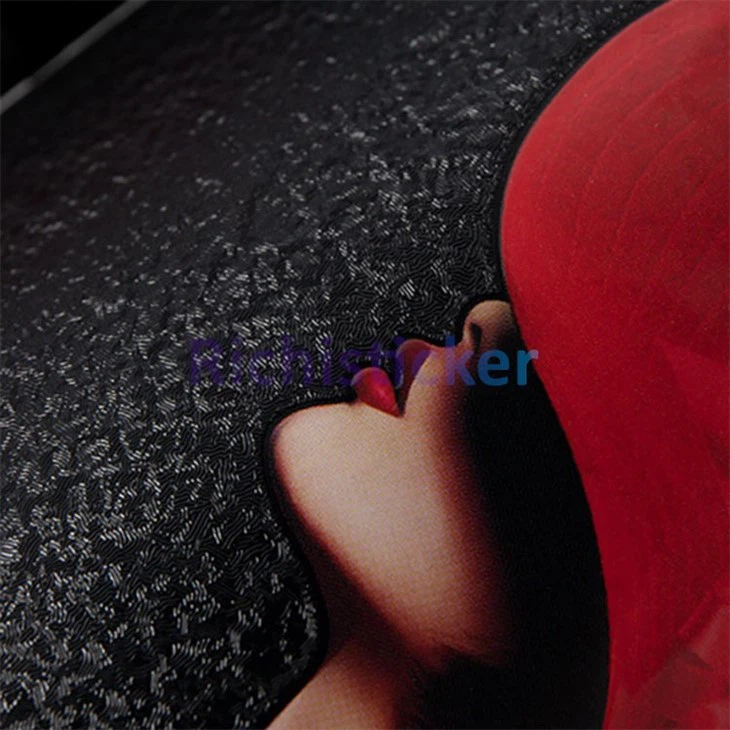

- UV Bronzing Stickers Vinyl Wine Bottle Label: These stickers are perfect for adding a touch of elegance and sophistication to your wine bottles. The UV bronzing effect gives them a unique and eye-catching look.
- Textured Red Wine Bottle Vinyl Stickers: These stickers feature a textured finish that adds a tactile element to your wine bottles. The red color is perfect for creating a bold and vibrant look.
Contact Us for Procurement and洽谈
If you're interested in purchasing our custom stickers and labels or have any questions about our products and services, please don't hesitate to contact us. We'd be happy to discuss your specific needs and provide you with a personalized quote. Our team of experts is dedicated to helping you create the perfect stickers and labels for your business or personal use.
References
- "The Complete Guide to Making Stickers at Home" by DIY Network
- "How to Design and Print Your Own Stickers" by Martha Stewart
- "Sticker Making 101: A Beginner's Guide" by Craftsy


